 darjinfo
Why Your Business Needs a Phone Number on Google Business Profile, and Why a Website Makes It Even More Powerful
Add a Google Business Profile phone number and link your website to get more calls. A simple guide for Darjeeling, Siliguri and Sikkim businesses.
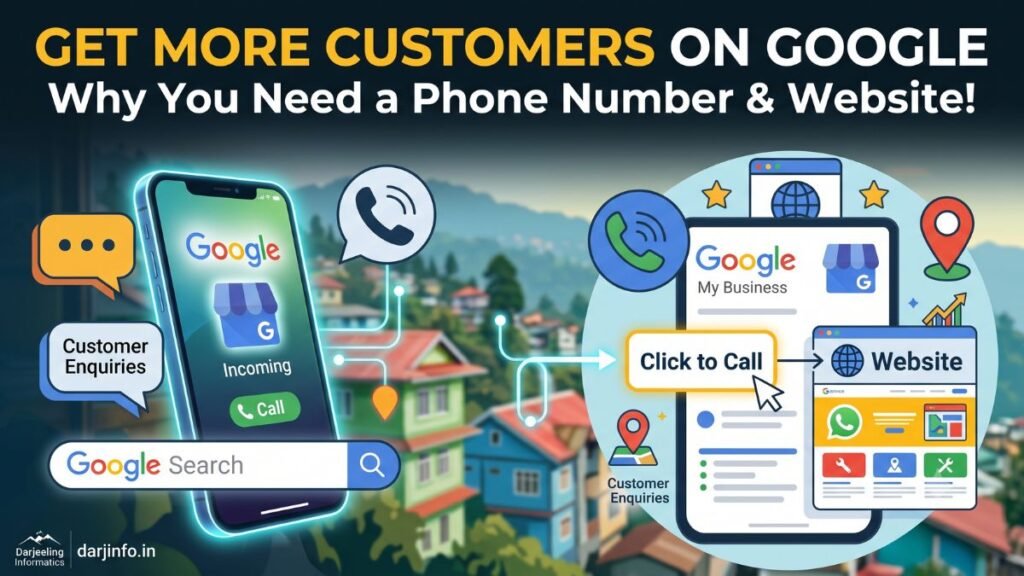
Imagine you run a homestay in Darjeeling, a repair shop in Siliguri or a coaching centre in Kalimpong. One afternoon your phone rings. The caller says they work with Google and can add a phone number to your business listing for a fee. Should you say yes?
Before you do, here is the useful part of that call: they are right that a Google Business Profile phone number matters. When someone searches for “homestay near Mall Road” or “AC repair in Siliguri”, the listing that shows a correct Google Business Profile phone number lets them call you in one tap. You just do not need to pay a stranger for it. You can add or fix the number yourself, for free, in a few minutes.
This guide explains how a phone number on your Google profile brings in calls, why customers who cannot find your website often move on to someone else, and how a simple website linked to your profile gives people the confidence to contact you. It is written for business owners, not technical people, so there is no jargon.
A quick safety note. Be careful with unexpected calls, emails or messages that offer to “rank you first” on Google or manage your listing for a payment. Check any offer carefully before you share your Google account details or pay anyone. You can manage your own profile directly from Google Search or Google Maps while signed in to the Google account that owns it.
No one can guarantee a position on Google. Results depend on how relevant your business is to the search, how close you are to the person searching, how well known you are online, and how good your profile and website are. What you can do is make it easy for the right customers to find you and contact you, and that is what the rest of this article covers.
Table of Contents
Why a Google Business Profile phone number matters
A Google Business Profile phone number turns a search result into a conversation. Most local searches happen on a mobile phone, often when the person needs something soon: a room for tonight, a taxi to the airport, a plumber this evening. If your profile shows a correct number, they can tap once and call you from Google Search or Google Maps. If it is missing or wrong, they pick the next business on the list.
What an accurate Google Business Profile phone number does for you
- Makes calling effortless. A tap on the Call button is easier than hunting for your number on a poster or a Facebook page.
- Builds trust. A working Google Business Profile phone number tells people a real business is behind the listing.
- Cuts missed enquiries. Customers who find an old or wrong number rarely try again.
- Supports your listing’s accuracy. Name, address and phone number that match across Google, your website and social pages help people (and Google) understand that they all describe the same business.
Which Google Business Profile phone number should you add?
Use a Google Business Profile phone number you actually answer during business hours, ideally the one printed on your signboard and visiting card. If you also take enquiries on WhatsApp, say so on your website and in your profile description. Add your opening hours too, so people know when to expect a reply. Google lets you add a primary number and, if you need it, an additional one.
How to add or correct your Google Business Profile phone number
- Search for your business name on Google while signed in to the account that manages the profile, or open Google Maps and select your business.
- Choose to edit your profile, then open the contact details section.
- Enter your Google Business Profile phone number in the correct format and save.
- Check the live listing on your phone to make sure your Google Business Profile phone number appears and the Call button works.
Google changes the layout of its tools from time to time, so menu names may differ slightly. The Google Business Profile Help Center always shows the latest steps, including how to verify your business.
How customers compare local businesses before they call
Most people do not call the first result they see. On Google Maps or in search, they glance at several businesses and quickly compare them. A typical customer asks themselves a few simple questions:
- Is this business open now, and can I reach it?
- Do the photos look real and recent?
- What do other customers say in their reviews?
- Is the address close to where I am or where I am going?
- Can I learn more before I commit to calling?
A complete profile answers these questions at a glance. A half-empty one leaves doubts, and doubts send customers elsewhere.
What a strong profile includes
- Correct business name, category, address and phone number. Choose the category that best describes what you do, such as “Homestay”, “Travel agency” or “Computer repair service”.
- Opening hours, including special hours for festivals or the tourist season.
- Genuine photos of your premises, rooms, food, products or team. Real, clear photos work better than stock images.
- A short, honest description of what you offer and who you serve.
- Reviews from real customers. Ask happy customers to share their experience and reply politely to every review, including critical ones. Never buy or fake reviews; it breaks Google’s rules and customers can often sense it.
- Services or products listed clearly, with prices where it makes sense.
Keep the profile fresh. Update hours when they change, add new photos regularly and respond to questions. A profile that looks cared for suggests a business that is cared for.
What customers miss when a business has no website
A Google Business Profile is a strong first impression, but it is a small space. There is room for a few lines of description, some photos and your contact details. Many customers want more before they call, and when they cannot find it, they hesitate.
Without a website, customers often cannot:
- See your full list of services, rooms, courses or products in one place
- Check typical prices, packages or what is included
- Read longer testimonials or see examples of your past work
- Find answers to common questions, such as check-in times, fees or service areas
- Confirm that the business is established and professional
- Send an enquiry at night or outside your opening hours
People who want these details will look for them. If your profile does not link anywhere, they may switch to a competitor whose website answers their questions, even if your service is better.
Social media pages help, but they are not a replacement. They can be hard to search, the information on them is often out of date, and you do not control how they look or what appears beside your posts. A website is a home you own, with your name, your domain and your message.
How a website gives customers the full picture
A good website for a local business does not need to be large or complicated. It needs to answer the questions your customers ask before they choose you. Think of it as a calm, always-open version of you at the counter. If you want a site built for you, see our website design in Darjeeling service.
What a useful business website includes
- Clear services pages. One page for each main service, written in plain language, so people (and search engines) understand exactly what you offer.
- Prices or price guidance. Even a “starting from” figure or a description of what affects the cost reduces unnecessary calls and attracts serious enquiries.
- Real photos. Your rooms, kitchen, classroom, workshop or finished projects.
- Testimonials. Short quotes from customers, with their permission.
- Frequently asked questions. Timings, payment methods, cancellation, travel directions, documents needed.
- Contact details everywhere. Phone, WhatsApp, address, map and opening hours, repeated on every page.
- Speed and mobile friendliness. Many visitors in the hills browse on mobile data, so pages need to load quickly and read well on a small screen.
The same idea for different businesses
A homestay can show room types, seasonal views, meals and the route from the railway station or airport. A coaching centre can list courses, batch timings and results it can openly share. A taxi operator can describe routes and vehicle types. A repair shop can explain what it fixes and how long it usually takes. In every case, the website explains what the profile can only hint at.
Why you should add your website link to your Google Business Profile
Once you have a website, add its address to your profile. The Google Business Profile website link is the bridge between “I found this business” and “I understand what it offers”. A customer sees your listing, taps the website button, reads about your services and then calls or sends an enquiry with more confidence.
Tips for linking the right page
- Use the correct, working address. Test the link on your phone after saving it.
- Use the secure version that starts with https.
- Link to your home page in most cases, or to the page that best matches the business shown in that profile.
- If you have several locations, link each profile to its own location page where possible.
- Keep details consistent. The name, address and phone number on your website should match your profile exactly.
- Make the destination page easy to act on, with your phone number and a contact button visible without scrolling.
A website also helps Google learn more about your business: the services you offer, the places you serve and the topics you are known for. That does not guarantee a higher position, but it gives your profile solid, relevant information to work with. If you would like expert help with this, our SEO services in Darjeeling include on-page fixes and Google Business Profile setup.
Turn visitors into enquiries: click-to-call, WhatsApp and clear buttons
Getting someone to your website is only half the job. The other half is making the next step obvious. Many visitors will not search for a contact page; they want a button.
- Click-to-call button. On a phone, one tap starts the call. Place it at the top of the page and again near the end of every service page.
- WhatsApp button. In India, many customers prefer a quick message to a call. A WhatsApp button with a pre-filled message such as “Hello, I would like to know about your rooms” lowers the barrier.
- Short enquiry form. Ask only for what you need: name, phone number and a few words about the requirement. Long forms put people off.
- Clear calls to action. Use plain wording like “Call now”, “Check availability” or “Get a free quote” instead of vague labels.
- Visible address and map. Helps walk-in customers and travellers who are already nearby.
Two habits turn these tools into real enquiries. First, reply quickly: someone who enquires on WhatsApp at 7 pm usually expects an answer the same evening. Second, check your website on a real phone every few months to confirm that the buttons still work.
If you serve customers at their location: be honest about your service area
Some businesses go to the customer: electricians, plumbers, contractors, photographers, taxi and tour operators, repair technicians. Google calls these service-area businesses. If that is you, say clearly which areas you truly serve, both in your profile and on your website. The Google Business Profile Help Center explains its current guidelines for service-area businesses.
For example, a contractor based in Darjeeling who regularly works in Kurseong and Mirik can say so in one simple sentence and list those towns in a single “Areas we serve” section. Only name places you really cover. Listing every town in North Bengal and Sikkim in the hope of attracting more searches can confuse customers and does not help you.
A helpful service-area section answers three questions: where you work, how far you travel and whether travel costs are included. If you also have a staffed shop or office that customers visit, mention the address and opening hours so people do not turn up when you are out on a job.
Google Business Profile and your website work best together
It is tempting to ask which one you need. The honest answer is both, because they do different jobs.
| Google Business Profile | Business website | |
|---|---|---|
| Main job | Helps nearby customers find you and contact you quickly | Explains your business in depth and builds confidence |
| Best for | Maps visibility, calls, directions, reviews, photos | Services, prices, FAQs, testimonials, enquiry forms |
| Space to explain | Limited | As much as you need |
| Who controls the look | Mostly Google’s format | You |
| Needs regular care | Hours, photos, review replies, updates | New content, services, offers, speed and security checks |
The profile gets you noticed at the moment someone searches. The website helps them decide. When both show the same name, address, phone number and opening hours, customers meet a consistent, trustworthy business wherever they find you. Neither replaces the other.
How to improve your online presence step by step, without overspending
You do not need a big budget or a long project to get started. Work through these steps in order and spend money only where it clearly helps.
- Claim and verify your Google Business Profile. This is free. Follow Google’s verification steps for your business.
- Fill in every detail. Correct name, category, address, phone number, opening hours and a short description.
- Add real photos. Ten to fifteen clear photos of your place, products or work are a good start.
- Ask for reviews the right way. Share your review link with happy customers and reply to every review.
- Plan a simple website. Start with the pages customers actually need: Home, Services, About, Contact, and a few photos or examples of your work. Our website design cost page shows what to expect.
- Choose a trustworthy domain and hosting registered in your own name, so you always own your website. See domain registration and web hosting.
- Add your website link to your profile and check that the details on both match.
- Add click-to-call and WhatsApp buttons and answer enquiries promptly.
- Review every few months. Update prices, photos, hours and services, and check that every button still works.
If you are not sure where to begin, a local web designer can set up the website, connect it to your profile and handle the technical side, so you can keep running your business. Choose someone who explains clearly what they will do, gives a written quotation and does not promise guaranteed rankings.
Frequently asked questions
Is it free to add a Google Business Profile phone number?
Yes. Creating and managing a profile, including adding or changing your Google Business Profile phone number, is free. Be cautious of anyone who asks for payment to do this for you.
Why is my Google Business Profile phone number not showing on Google?
The profile may not be verified yet, your edit may still be under review, or the number may have been saved in an unusual format. Open the profile while signed in, check the contact details, save again and check the live listing after some time.
Do I need a website if I already have a Google Business Profile?
A profile helps customers find and contact you, but a website lets you explain your services, prices and credibility in detail. Most businesses benefit from having both.
Will a website guarantee that I rank first on Google?
No one can guarantee a ranking. Position depends on relevance, distance, prominence, competition, website quality and customer experience. A good website and a complete profile give you a stronger foundation.
Can I add a website link if I only have a Facebook page?
You can, but a Facebook page offers less control and is harder for new customers to browse. A simple website of your own is usually a better long-term home for your information.
What should my website contain for local customers?
Services, price guidance, real photos, testimonials, FAQs, your address and map, opening hours, and a visible phone number, WhatsApp button and enquiry form.
I serve customers at their location. Should I still list an address?
It depends on your business and Google’s guidelines. If customers do not visit your premises, you can usually hide the address and list your service areas instead. Check Google’s current guidance for service-area businesses.
Conclusion: make it easy for customers to find, trust and contact you
A correct Google Business Profile phone number gets you more calls from people who are ready to talk. A well-made website, linked from that profile, gives everyone else the details they need to feel sure about choosing you. Together they work like a signboard and a shopfront for the internet: one helps people notice you, the other helps them step inside.
Start today with the free part: open your profile, check your Google Business Profile phone number and hours, and add a few real photos. Then plan a simple website that answers your customers’ questions and makes contacting you a single tap.
If you would like help, Darjeeling Informatics designs and builds websites for homestays, schools, shops and offices across Darjeeling, Siliguri, Kalimpong and Sikkim, and can connect your site to your Google Business Profile. Request a free quote or message us on WhatsApp to talk through what your business needs.
Work with a local developer
Need a website, logo or software?
Tell us what your business needs and get a clear written quote, with no jargon.